


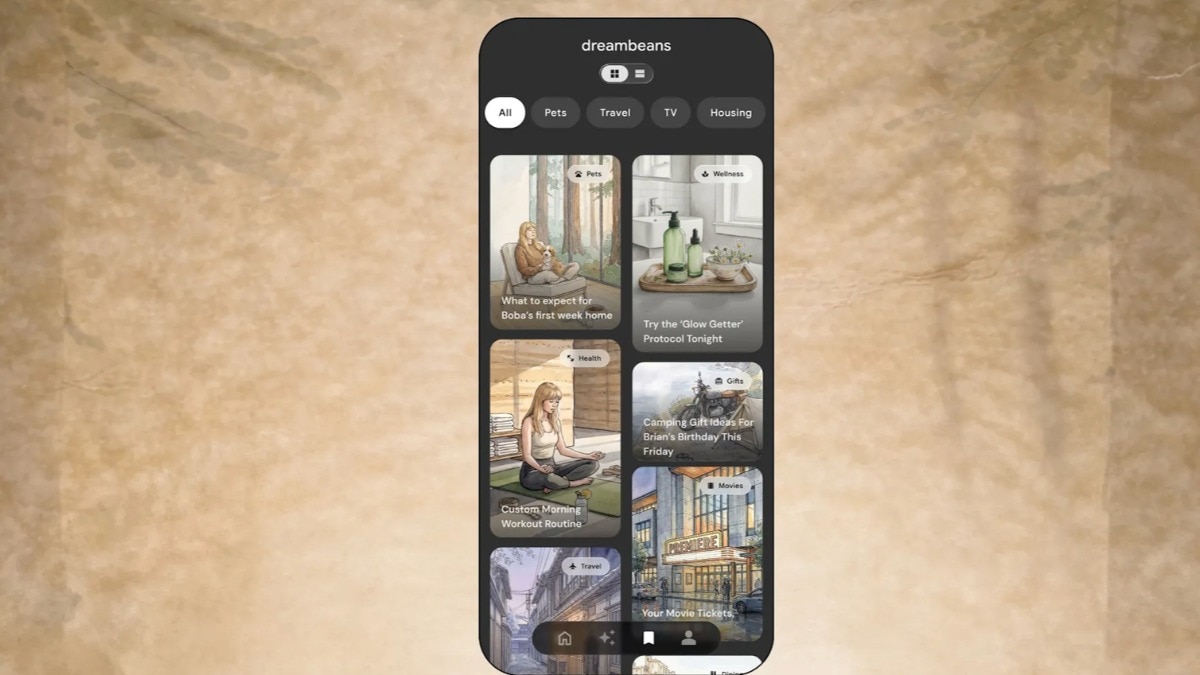
Google has brought its Dreambeans app to India, making it the first country outside the US to get this experimental AI app. So, what does it do?
Dreambeans takes information from your online activity and turns it into personalised, illustrated stories about your interests, plans and everyday life. Think of it as your own little AI-powered storybook.Dreambeans is now available on Android and iOS in English and 13 Indian languages, including Hindi, Bengali, Telugu, Marathi, Tamil, Urdu, Gujarati, Kannada, Malayalam, Odia, Punjabi, Assamese and Nepali.
The AI app turns information from user’s online activity into personalised, illustrated daily story collections. Google says the idea is to help users discover information relevant to their interests without endlessly scrolling through online feeds.How does the Dreambeans app work?
Google first introduced Dreambeans in the US earlier this year. The app works by connecting information from Google services that users choose to share, including Calendar, Gemini, Gmail, Photos, Search and YouTube.
It then uses this information to create stories around their interests and everyday lives, without them having to type in a prompt. These could be anything from places they might enjoy visiting and arts and crafts ideas to reminders about upcoming local events.Users can tap on these stories to find out more, bookmark suggestions they like or share them with others.
Dreambeans initially created stories with static AI-generated illustrations, but Google has since added another trick. It can now use its Veo video-generation model to bring images in selected stories to life.
Users can also tell the app what they think of its suggestions, helping it make future stories more relevant. How to use Google Dreambeans– Here is how to set it up:– Install Google Dreambeans from the Google Play Store or Apple App Store. – Log in using your personal Google account.
The app is currently limited to personal Gmail accounts.– Choose which services you want Dreambeans to access. These include Gmail, Google Photos, Calendar, Search, YouTube and Gemini.– Select the language in which you want your personalised stories.
You can choose only one language at a time.– Dreambeans will use information from your connected services to create personalised daily stories. You can tap on them to explore further, bookmark suggestions or share them.– Tell the app which subjects you would rather avoid and share feedback on the stories it generates.
This helps Dreambeans make future suggestions more relevant to you.Privacy and availabilityDreambeans is currently available only to users with personal Gmail accounts. The stories it generates are private and can only be seen by the account holder.
Users also have control over what information the app can access. They can disconnect linked Google services whenever they want or delete their Dreambeans data.Google says that when users delete information from connected services, it is also removed from Dreambeans' personalisation system.- Ends