


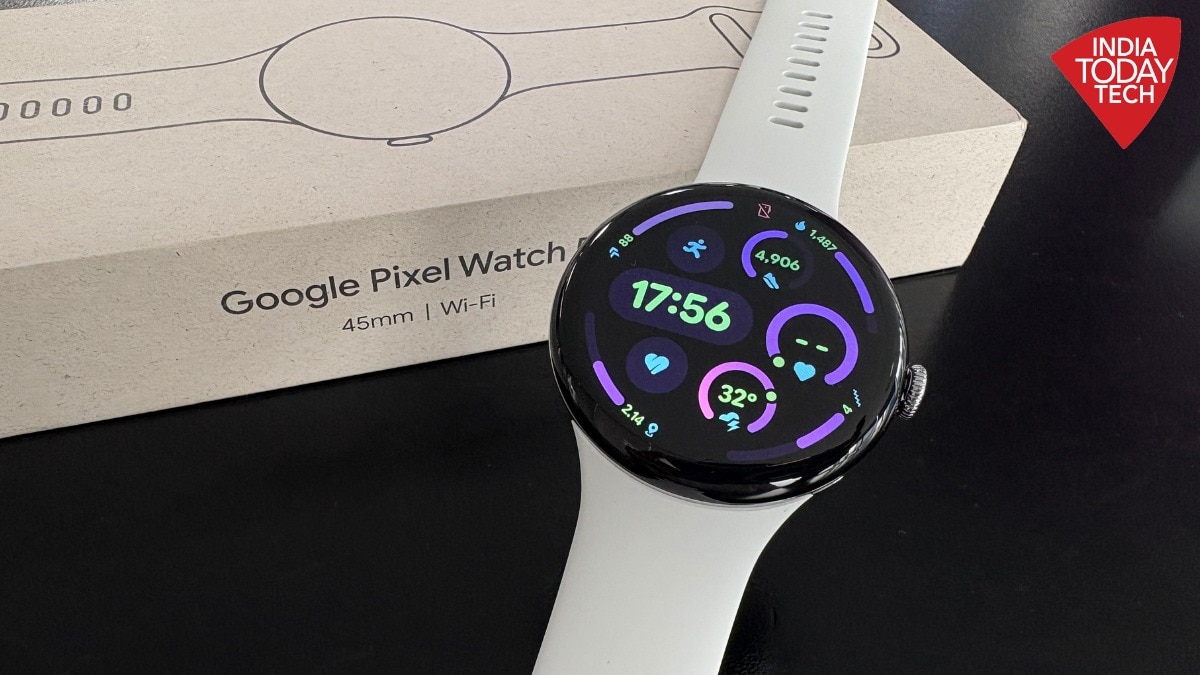
In 2025, Google gave its smartwatch the power of AI with Gemini. The entire Pixel ecosystem got an AI boost.
So, it was only natural for the company to bring more of that AI magic to its next-generation smartwatch. With the Pixel Watch 5, Google has done just that.
And better. This year, Gemini is smarter, and the Pixel Watch 5 is better equipped to put it to work.
Then there is a special “coach” that can help make sense of all the health and fitness data the Watch 5 collects. Google calls it Health Coach.
It is an AI-powered feature that helps you plan meals, workouts and nudges you while you are on your fitness journey. It is one of my favourite things about the Pixel Watch 5.But just like your gym trainer, Health Coach comes at an extra cost.
Though if you don’t want it, you can still get plenty out of the Pixel Watch 5 because unlike some other fitness accessories, it does not hide its data behind a subscription. More on this in a while.
First the specs.The Pixel Watch 5 comes in two sizes — 41mm and 45mm. Both variants feature a 3,000-nit Actua 360 AMOLED display with a 60Hz refresh rate and an always-on display option.
It is powered by Qualcomm's Snapdragon W5 Gen 2 platform, paired with 2GB of RAM and 32GB of storage. The watch runs Wear OS and includes Gemini, along with health and fitness tracking features such as heart-rate monitoring, sleep tracking, blood oxygen monitoring, ECG and skin temperature sensing.
It also supports dual-frequency GPS, Bluetooth, Wi-Fi and NFC. Google claims up to 30 hours of battery life for the 41mm model and up to 40 hours for the 45mm version, with fast charging support.
Design and display: Familiar, works for good At first glance, you might not notice any changes to the Pixel Watch 5 compared to its predecessor, but I don't necessarily see that as a problem. It retains the classic pebble-like round dial, which I totally adore.
I have been using the 45mm version, and I initially wondered whether the larger dial would look too big on my relatively thin wrist. Turns out it doesn't feel as bulky as I expected.
The watch is little thick, but its size hasn't bothered me, even when I am wearing it 24 x 7. In fact, I like having the larger display.
The size makes it easier to read notifications, check my health metrics and navigate the screen without feeling cramped for space.The quality of display is another highlight. Google claims peak brightness of 3,000 nits for the Actua 360 display, and I like how smooth and responsive it feels.
The circular screen works well with the interface, and the watch faces and themes give you plenty of ways to personalise its appearance. The display is also bright enough to let me use the watch comfortably under the noon sun.Over the last few weeks as I have used the Pixel Watch 5, its build has held up well.
The watch is water resistant and carries IP68 rating. In the last few weeks I have worn it to gym, while commuting, and have occasionally knocked it against walls by accident.
I haven't noticed any obvious scratches on it so far.There is one issue though, not with the watch but with the default strap that comes with it. It is made of silicon and feels smooth when I put it on, but it may not be the most comfortable option for everyone, especially if you have sensitive skin.
In the last several weeks in Delhi, humidity was often high due to ongoing rain and cloudy weather. There were days when moisture often got trapped between the strap and my skin, leaving it damp and sometimes itchy.This may not be an issue with all users because it depends on the sort of skin you have and how well it tolerates silicon straps, but it is worth keeping in mind.
Of course, the good part is that if you don’t like the default strap, you can use a different one. Performance: Does everything it promisesNow the main deal: how is the experience?
Google uses the Snapdragon W5 Gen 2 platform in the watch. The specifications are one thing, but what matters to me is whether the device feels easy to use.
On that front, the Pixel Watch 5 delivers. In spades.
Notifications, health information and everyday smartwatch functions are accessible and usable without much fuss.In use, the Pixel Watch 5 feels responsive, and I haven’t seen any jitters or lags. Opening apps, scrolling through screens and switching between features have been smooth in my experience.The device tracks a range of health and fitness metrics, including heart rate, steps, calories burned, sleep, menstrual cycle and workouts.
You can also monitor blood oxygen levels and skin temperature. I found the health tracking mostly accurate in my everyday use.
I compared some of the metrics with the Apple Watch Series 8 and health-monitoring devices, including a heart rate monitor, and the readings were largely similar. It also tracks fitness sessions and activities well.
Though there were occasions when I wished the activity recognition was quicker. You can add details about your gym sessions, but some activity options are missing.
Also, sometimes the watch detects that you are active but not always and it also doesn’t always identify the type of activity.Gemini is useful but Health Coach is show stealerThe Pixel Watch 5 brings Gemini to your wrist. I often used Gemini to check emails, WhatsApp messages and information about callers.
These are simple tasks, but the AI assistant makes them easier to handle from your wrist. You don't always need to pull out your phone just to check or respond to something.But of all the cool new features the show-stealer is Health Coach.
In fact, Health Coach is the biggest reason I enjoyed using the Pixel Watch 5 so much. It takes the health and activity information collected by the watch and turns it into something you can use to plan your day.I use the coach to organise meals, gym sessions and rest days.
Its summaries and quick-start suggestions help me catch up on my health metrics, after which I can continue the conversation and ask follow-up questions. I found this more engaging than simply opening an app and looking at numbers.
Imagine getting up and having a coach explain how to go ahead with your day based on your readiness and other health metrics. If your readiness is low or you're in the luteal phase of your menstrual cycle, the coach may suggest taking it easy and getting some rest.In fact, the menstrual-cycle-related guidance was particularly interesting.
Health Coach can suggest food and workout routines around the cycle, while also offering recommendations about when to rest based on factors such as sleep and cycle information.You can also plan your gym sessions with exercise videos showing you how to perform them. Of course, Health Coach is not a replacement for a personal trainer or medical professional, nor is it trying to be one.
Its recommendations are meant to guide you, and how useful they are depends on the information available. But I found it helpful.
There is a catch, though: Health Coach requires a paid subscription. It costs Rs 499 per month as part of Google Health Premium.
It is also bundled for free if you have Gemini Pro or Gemini Ultra subscription. Is it worth it?
I feel it is if you are like me, looking for health insights and nudges that can push you to be more serious about your health. I find Health Coach to be a smart companion that doesn't just show you numbers but also helps you understand what they mean and what you can do with them, instead of simply adding another metric to a dashboard.Battery life: Around two days in my useBattery life is another area where the Pixel Watch 5 impressed me.
Google claims up to 40 hours for the 45mm model, and I got around two days from it. I didn't feel the need to charge it every day, and the battery kept up with my routine.
I also noticed that the battery didn't drain much when I wasn't wearing the watch.Of course, battery life will vary depending on your settings, GPS use, workouts and how often you use different features. However, for regular use of gemini, fitness tracking, call and stuff, for me the battery easily lasted close to two days.
Charging is quick too so topping up the battery doesn't take up much of your time. With my 45W charger it takes around 30 mins to charge.Google Pixel Watch 5: Worth buying?If you use a Pixel phone or another Android phone and want a smartwatch that combines everyday features with health tracking, I would heartily recommend the Pixel Watch 5.The Pixel Watch 5 isn't a major redesign, and the silicone strap can get uncomfortable if you wear it for long hours.
But it gets most things right. I really liked the display and design.
The performance is smooth and the health tracking is mostly accurate. The battery also lasts around two days.
Gemini is handy for quick queries and Health Coach really makes a difference. There are a number of smartwatches in the market, but when it comes to premium experience and premium design, for Android users I believe the Pixel Watch is the best option.- Ends